

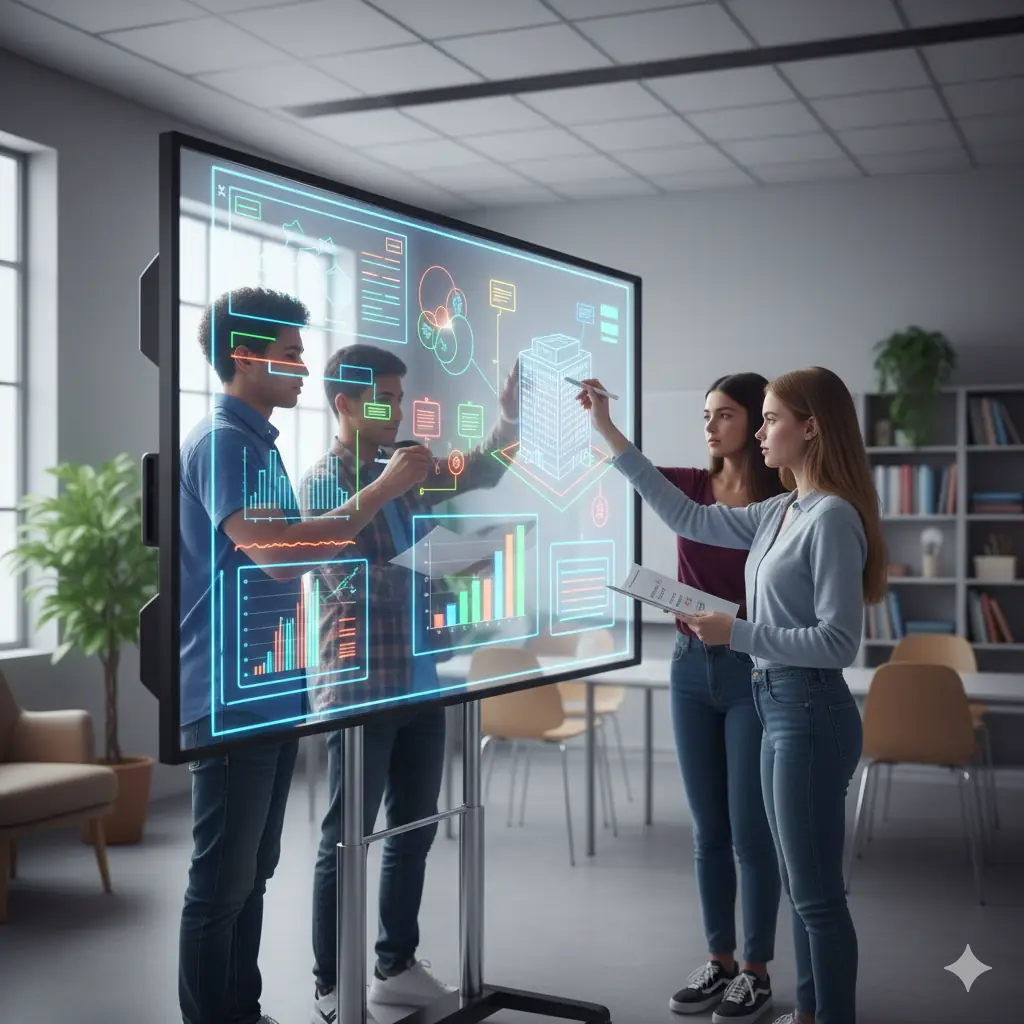
✨ The Evolution of the Display: From Chalkboard to Smart Screen
Remember the dusty chalkboard or the humble whiteboard? For generations, they were the primary tools for visual instruction and brainstorming. But times, and technology, have truly evolved.
Today, classrooms and meeting rooms are increasingly being equipped with interactive whiteboards and smart displays. These devices are far more than just projection screens; they are powerful, touch-sensitive computers that unlock new levels of engagement.
Think of them as giant tablets that multiple people can use simultaneously. They blend the simplicity of a traditional board with the dynamic capabilities of modern digital technology.
Let’s dive into what makes these technologies so transformative for learning and collaboration.
👆 What Exactly Are Interactive Whiteboards and Smart Displays?
At their core, both interactive whiteboards and smart displays are large-format display devices that allow users to interact directly with digital content using touch, a stylus, or sometimes even gestures.
An Interactive Whiteboard (IWB) typically refers to a touch-sensitive surface that connects to a computer and a projector. The projector displays the computer’s image onto the board, and the board senses touch, sending commands back to the computer.
A Smart Display (or Interactive Flat Panel Display – IFPD) is a self-contained unit, much like a giant tablet or TV. It has its own built-in computer, touch capabilities, and display, eliminating the need for a separate projector.
While the underlying technology differs slightly, their goal is the same: to create a dynamic, interactive visual space for communication and learning.
Key Features That Boost Engagement
These smart screens come packed with features designed to make lessons more captivating and collaboration more intuitive.
- Multi-Touch Capability: Multiple users can write, draw, or manipulate objects on the screen simultaneously, fostering collaborative problem-solving.
- Annotation Tools: Write directly over any content – websites, videos, documents – then save and share your annotated notes.
- Built-in Software: Often includes specialized educational software, presentation tools, and access to cloud services (like Google Drive or Microsoft 365).
- Internet Connectivity: Seamlessly browse the web, stream videos, or access online resources directly from the board without needing a separate device.
- Screen Sharing: Students or team members can cast their own device screens (laptops, tablets, phones) wirelessly to the main display.
- Integration: Connects easily with other classroom or meeting room technology, like document cameras or video conferencing systems.
🧑🏫 In the Classroom: Transforming Learning Experiences
For educators, interactive whiteboards and smart displays are powerful tools that move away from passive learning, encouraging active participation and deeper understanding.
Imagine a science teacher displaying a virtual human anatomy model that students can rotate, zoom into, and even ‘dissect’ with their fingertips, making complex biology tangible and exciting.
For younger students, interactive games and puzzles projected onto the board can turn learning foundational concepts into a collaborative play activity, boosting engagement and retention.
Teachers can also save entire lesson sessions, including all annotations and student contributions, and then share them with students for review, ensuring no one misses out.
✨ Design Insight: These displays aren’t just screens; they are interactive canvases that invite active participation, transforming passive viewing into hands-on learning.
🏢 In the Boardroom: Elevating Professional Collaboration
Beyond education, smart displays are revolutionizing how businesses conduct meetings, brainstorm, and present information, making sessions far more productive and engaging.
Instead of endless handouts, teams can collaboratively annotate a shared document or design mockup in real-time. Changes are made on the spot, ensuring everyone is literally on the same page.
For hybrid meetings, a smart display integrates seamlessly with video conferencing, allowing remote participants to feel more included and contribute to the shared digital whiteboard.
This creates a dynamic, interactive environment where ideas flow freely, decisions are made faster, and meeting outcomes are clearer and more actionable.
🔄 What to Consider: Choosing the Right Smart Display
If you’re considering integrating an interactive whiteboard or smart display, there are a few key factors to keep in mind to ensure you choose the best fit for your needs.
- Size: How large is your room, and how many people will be viewing the screen? Larger rooms need larger displays for visibility.
- Resolution: Look for 4K (Ultra HD) resolution for crisp, clear images, especially on larger screens.
- Touch Technology: Capacitive touch (like a smartphone) offers a smoother, more responsive experience than older infrared technologies.
- Software Ecosystem: Consider how well the display integrates with your existing software (e.g., Google Workspace, Microsoft 365) and any specialized educational apps.
- Built-in Features: Evaluate included cameras, microphones, speakers, and connectivity options (Wi-Fi, Bluetooth).
- Budget: Interactive whiteboards with projectors are often more budget-friendly initially, while all-in-one smart displays offer superior image quality and ease of use.
🔮 The Future is Bright and Interactive
Interactive whiteboards and smart displays are more than just fancy gadgets; they represent a fundamental shift in how we interact with digital content for learning and collaboration.
As these technologies become even more advanced and integrated with AI, they will offer even richer, more intuitive ways to engage with information and each other.
They are paving the way for classrooms and meeting rooms that are truly dynamic, where every participant has a voice and the ability to contribute visually and meaningfully.
